Introduction
While reviewing your Google Analytics dashboard, you felt that something is off. Your conversion numbers don’t match what your sales team is reporting. Your traffic seems inflated. Or worse, you’re making business decisions based on data you’re not even sure you can trust.
If this sounds familiar, you’re not alone. Since Google forced the migration from Universal Analytics to GA4 in 2023, countless businesses have discovered their analytics setup is fundamentally broken. Bad data doesn’t just skew your reports-it leads to misguided strategies, wasted ad budgets, and missed growth opportunities.
That’s where a GA4 audit comes in. Whether you’re questioning your current setup or you’ve just migrated from Universal Analytics, a thorough audit ensures you’re collecting accurate, actionable data that actually supports your business goals.
In this guide, we will walk you through everything you need to know about GA4 audits: what they are, why they matter, how to conduct one yourself, and when it makes sense to bring in professional help. You’ll also get access to a practical checklist you can use today.
What is a GA4 Audit and Why Does it Matter?
A GA4 audit is a comprehensive evaluation of your Google Analytics 4 implementation to verify that it’s correctly configured, accurately tracking data, and aligned with your business objectives. Think of it as a health check for your analytics-you’re examining every component to identify what’s working and what needs fixing.
Unlike the simpler Universal Analytics audits of the past, GA4 audits are more complex because the platform operates on a fundamentally different data model. GA4 uses an event-based system where everything is an event, from page views to purchases. This flexibility is powerful, but it also means there are more places where things can go wrong.
A proper audit examines several key areas. First, it reviews your account structure and property settings to ensure they’re configured correctly. Second, it validates that your tracking implementation is capturing the right data without duplication or gaps. Third, it checks data quality issues like bot traffic, internal traffic, and spam referrals that can distort your metrics. Finally, it verifies that your conversions, integrations, and custom configurations are set up to support your specific business goals.
The difference between a good audit and a superficial one often comes down to business context. Any agency can run through a technical checklist, but a valuable audit understands what you’re actually trying to measure and why. It connects the technical setup to your marketing strategy, sales funnel, and growth objectives.
Why You Need a GA4 Audit (And What Happens If You Skip It)
Many businesses assume that because their GA4 is “working”-meaning they see numbers in their reports-everything must be fine. That’s a dangerous assumption. Here’s why regular GA4 audits should be non-negotiable.
Data accuracy is the foundation of smart decision-making. When your tracking is misconfigured, you might be overstating conversions, undercounting revenue, or completely missing important user interactions. I’ve seen businesses double their ad spend based on inflated conversion data, only to discover months later that their tracking was counting each conversion twice. That’s not just wasted money-it’s a strategic misstep that compounds over time.
Compliance isn’t optional. Privacy regulations like GDPR and CCPA have real teeth, and GA4’s default settings don’t automatically make you compliant. An audit ensures you’re handling user data appropriately, implementing proper consent mechanisms, and avoiding potential legal issues. One missed configuration could expose your business to significant liability.
Migration issues are surprisingly common. If you migrated from Universal Analytics, there’s a good chance something didn’t transfer correctly. Event names might be mapped wrong, GA4 custom dimensions could be missing, or your conversion tracking might be incomplete. These issues don’t fix themselves-they silently corrupt your data until someone takes the time to investigate.
Your business evolves, and your tracking should too. Maybe you’ve launched new products, changed your checkout flow, or started running content marketing campaigns. If your GA4 setup hasn’t evolved with your business, you’re flying blind in crucial areas. An audit identifies these gaps and helps you fill them.
SEO strategies depend on accurate data. If you’re using GA4 data to inform your SEO decisions-and you should be-you need to know that your organic traffic data, landing page metrics, and Search Console integration are all working properly. Bad data leads to bad SEO strategies, which means lost organic visibility and revenue.
The cost of skipping audits isn’t just about missed opportunities. It’s about making confident decisions based on information you can trust. When was the last time you questioned whether the numbers in your dashboard were actually accurate?
When Should You Conduct a GA4 Audit?
Timing matters when it comes to audits. While I recommend conducting a thorough audit at least twice a year, there are specific trigger points when an audit becomes essential rather than optional.
Immediately after migrating from Universal Analytics. If you’re one of the many businesses that relied on Google’s automatic migration, you need to verify that everything transferred correctly. Automatic migrations are notorious for missing custom configurations, losing historical context, and creating incomplete event mappings.
Before and after major website changes. Planning a redesign? Switching to a new CMS? Overhauling your checkout flow? These changes often break tracking in unexpected ways. An audit before the launch helps you document what should be working, and an audit after helps you verify that nothing broke.
When your data doesn’t match reality. If your analytics says one thing but your sales data says another, don’t just shrug it off. That discrepancy is telling you something is wrong. An audit can pinpoint where the disconnect is happening.
After switching agencies or bringing marketing in-house. Different teams have different approaches to tracking. When responsibilities change hands, an audit ensures nothing falls through the cracks and gives the new team a clear understanding of the current setup.
When preparing for major marketing campaigns. About to launch a significant paid campaign or product launch? Make sure your tracking is ready to capture all that data accurately. There’s nothing worse than spending big on marketing only to realize afterward that your conversion tracking wasn’t working.
Between these critical moments, I suggest quarterly light audits where you check key metrics, review recent changes, and verify that your most important conversions are still tracking properly. Think of these as maintenance check-ups that prevent small issues from becoming big problems.
The Complete GA4 Audit Checklist
Now let’s get into the practical details. This checklist covers the essential elements every GA4 audit should examine. While not every item will apply to every business, this gives you a comprehensive framework to work from.
Account Structure and Basic Settings
Start with the foundation. Log into your GA4 property and navigate to the Admin section. This is where your core configuration lives.
Verify your default URL. Under Data Streams, check that your website URL is set correctly and properly formatted with HTTPS. An incorrect URL can fragment your data across multiple properties or fail to track certain pages entirely. This seems basic, but I’ve found incorrect URLs in surprisingly many audits.
Confirm time zone and currency settings. These are under Property Details. Your time zone affects when your reporting day starts and ends, which impacts how you interpret time-based data. If your business operates primarily in EST but your GA4 is set to PST, your daily reports won’t align with your business reality. Currency matters for e-commerce tracking-make sure it matches how you actually process transactions.
Review data retention settings. GA4 defaults to only two months of data retention for user-level and event-level data. While your standard reports aren’t affected, your ability to build custom explorations is severely limited with this short retention. Unless you have specific privacy reasons, extend this to 14 months. You’ll find this under Data Settings > Data Retention.
Data Collection and Tracking Implementation
This is where most problems hide. Your tracking might look fine on the surface, but dig deeper and you’ll often find issues.
Verify your tracking method. Are you using Google Tag Manager or gtag.js directly in your code? Using both creates double-counting problems. GTM is generally the better choice because it gives you more control and flexibility, but the key is consistency. Document your implementation method clearly.
Check Enhanced Measurement settings. Under your Data Stream settings, you’ll find Enhanced Measurement with a toggle switch. This feature automatically tracks page views, scrolls, outbound clicks, site search, video engagement, and file downloads. Verify it’s turned on and review the specific events that are enabled. Site search tracking, in particular, requires configuration to match your URL parameters.
Audit your event tracking. Navigate to the Events section in your GA4 admin panel. You should see a list of all events being collected. Look for events that seem suspicious-duplicate events with slightly different names, events that shouldn’t be there, or events you expected to see but don’t. Each important user interaction should have a corresponding event. Form submissions, button clicks, video plays, PDF downloads-whatever matters to your business should be tracked.
Validate conversion tracking. In GA4, conversions are just events marked as important. Check your Events list and verify that your key conversion events are marked as conversions (in GA4, they’re called “key events”). Test each one manually if possible. Submit a form, complete a purchase, or trigger whatever action should count as a conversion, then check your real-time reports to confirm it was tracked.
Review e-commerce tracking (if applicable). If you run an online store, your e-commerce tracking is critical. Check that you’re capturing all the standard e-commerce events: view_item, add_to_cart, begin_checkout, purchase. Navigate to Monetization > E-commerce Purchases in your reports. Do the numbers look right? Are product names, categories, and revenue amounts appearing correctly?
Data Quality and Filters
Clean data is accurate data. This section is about removing the noise that distorts your metrics.
Verify internal traffic exclusion. Your team’s visits to your website shouldn’t count as customer traffic. Under Data Settings > Data Filters, check if you have an internal traffic filter set up and that it’s active. You’ll need to first define what counts as internal traffic under Data Streams > Configure Tag Settings > Define Internal Traffic. Most businesses do this by IP address, though that can be tricky for remote teams.
Check for bot filtering. GA4 automatically excludes known bot traffic, but you should verify this is working. Look for suspicious patterns in your reports-unusually high bounce rates, traffic from unexpected countries, or sessions with impossible behavior patterns.
Review unwanted referrals. Under Data Streams > Configure Tag Settings > List Unwanted Referrals, check if you’ve excluded referral traffic from payment processors, authentication services, or other third-party sites that users visit mid-journey. Without this, those sites will appear as traffic sources in your reports, fragmenting your attribution data.
Validate cross-domain tracking. If your business operates across multiple domains (like a main website and a separate checkout domain), verify that cross-domain tracking is configured under Configure Tag Settings > Configure Your Domains. Users should maintain the same session as they move between your domains, not appear as new referral traffic.
Integrations and Links
GA4 becomes much more powerful when connected to other platforms. These integrations feed additional data into your analytics and enable advanced features.
Confirm Google Search Console linking. Under Product Links > Search Console Links, verify that your Search Console property is connected. This integration pulls organic search data directly into GA4, giving you insights into search queries, rankings, and performance you can’t get anywhere else.
Check Google Ads connection. If you’re running paid search campaigns, your Google Ads account should be linked under Product Links > Google Ads Links. This enables conversion import to Ads, audience sharing for remarketing, and better attribution of paid traffic.
Review BigQuery export. For businesses with significant data needs, BigQuery export is essential. It gives you raw, unaggregated data that you can query and analyze beyond GA4’s limitations. Check under Product Links > BigQuery Links. While this has costs associated with it, the ability to store unlimited historical data and run complex analyses often justifies the investment.
Privacy and Compliance
Privacy isn’t just about avoiding legal trouble-it’s about treating your users’ data responsibly.
Verify Google Signals activation. Under Data Settings > Data Collection, check if Google Signals is turned on. This enables cross-device tracking and demographic data by using information from signed-in Google users. However, it also has privacy implications. Make sure your privacy policy covers this data collection, and consider whether it’s necessary for your business.
Review consent mode implementation. If you operate in regions with strict privacy laws, consent mode is crucial. It adjusts how GA4 collects data based on user consent choices. This is typically implemented through your cookie consent banner and requires coordination between your consent management platform and GA4.
Audit user permissions. Under Account Access Management and Property Access Management, review who has access to your analytics and what permissions they have. Former employees, old agency partners, or contractors who finished their projects might still have access. Regular permission audits prevent unauthorized access and data breaches.
Custom Configurations
These are the settings that make GA4 work specifically for your business.
Review custom dimensions and metrics. Under Custom Definitions, check what custom dimensions and metrics you’ve created. Are they all still necessary? Are they capturing data correctly? Each one should have a clear business purpose. If you’re close to the limits (25 user-scoped and 50 event-scoped custom dimensions), you might need to delete unused ones.
Verify audience definitions. Under Audiences, review the segments you’ve created. Outdated audiences waste processing resources and clutter your Ads integrations. Delete any you’re not actively using.
Check attribution settings. Under Attribution Settings, verify your attribution model. The default is “data-driven” which uses machine learning, but you might want “last click” or another model depending on your business. This affects how credit is assigned to different marketing channels.
Reporting Validation
Configuration is one thing, but you need to verify that your reports actually show accurate data.
Test real-time reports. Open your website in an incognito window and navigate around while watching the Real-time report in GA4. You should see your session appear immediately. Trigger some key events and conversions. Do they show up? This is your quickest validation that basic tracking is working.
Compare data across reports. Pick a specific date range and compare metrics across different reports. Do the numbers match? Significant discrepancies might indicate filtering issues, sampling problems, or data collection gaps.
Validate against other data sources. Your GA4 numbers should roughly align with data from other platforms. If your e-commerce platform says you had 100 transactions but GA4 shows 150, one of them is wrong. This kind of validation often reveals tracking issues that internal reports miss.
Common GA4 Audit Issues and How to Fix Them
Through dozens of audits, certain problems appear again and again. Here are the most common issues and their solutions.
Double-Counting Events
Double-counting events happen when businesses implement tracking through both GTM and gtag.js, or when they have multiple GTM containers on the same page. The fix is choosing one implementation method and removing the other. Use Tag Assistant to verify you’re only firing each tag once.
Missing Conversions
Missing conversions often result from incorrect event names or parameters. GA4 is case-sensitive, so “Form_Submit” and “form_submit” are different events. Review your conversion setup and ensure the event names exactly match what’s actually being tracked.
Internal Traffic Contamination
Internal traffic contamination skews your metrics, especially for smaller sites where employee traffic represents a significant percentage. The fix requires defining internal traffic rules and creating an active filter to exclude it. Remember that this only applies to future data-you can’t retroactively filter out internal traffic.
Cross-Domain Tracking Failures
Cross-domain tracking failures create fractured user journeys where one person looks like multiple visitors. This typically happens when you haven’t properly configured your domains under tag settings. The solution involves adding all your domains to the configuration and ensuring the tracking code is consistent across all properties.
Incorrect Time Zone Settings
Incorrect time zone settings might seem minor, but they fundamentally affect when your “day” starts and ends. If you run daily reports or have time-sensitive campaigns, this matters. Unfortunately, changing the time zone only affects future data, so set it correctly from the start.
DIY Audit vs. Hiring a GA4 Audit Agency
At this point, you might be wondering whether to tackle this yourself or bring in professional help. Both approaches have their place, and the right choice depends on your specific situation.
When Does a DIY Audit Make Sense?
If you have a relatively simple website, basic tracking needs, and someone on your team who’s comfortable with GA4, you can probably handle most audits internally. Small businesses with straightforward goals-track page views, monitor a few conversions, understand basic traffic sources-don’t necessarily need external expertise. Use the checklist above, take your time, and you’ll catch most major issues.
When to Hire a GA4 Audit Service?
Complex implementations demand professional expertise. If you’re running e-commerce, have multi-step conversion funnels, track users across multiple domains, or need to integrate with multiple marketing platforms, professional GA4 audit services usually pays for itself. The same goes if you’re dealing with high-stakes data-when significant business decisions or large ad budgets depend on your analytics accuracy, the cost of bad data far exceeds the cost of a professional audit.
Time is another factor. A thorough GA4 audit takes someone experienced maybe 8-12 hours. If you’re learning as you go, budget 20-30 hours. For many businesses, that time is better spent on core activities rather than becoming a GA4 expert.
What to Look for in a GA4 Audit Agency?
Certifications matter, but experience matters more. Look for agencies with specific GA4 expertise (not just general digital marketing experience) and case studies from businesses similar to yours. Ask about their audit methodology-a good agency should have a systematic approach, not just an ad-hoc review. Find out what’s included in their deliverables. The best audits provide a detailed findings report, prioritized recommendations, and implementation support.
The ROI of professional audits often surprises people. Consider this: if bad data leads you to overspend on ineffective marketing channels by just $5,000 per year, a professional audit that costs $2,000 pays for itself in less than five months. And that’s a conservative example-many businesses waste far more on misdirected marketing because they trust inaccurate data.
Moving Forward: Your GA4 Audit Action Plan
Whether you conduct your audit internally or hire help, the goal is the same: accurate, reliable data that supports confident decision-making.
Start by scheduling your first comprehensive audit if you haven’t done one recently. Block out the time, gather the necessary access credentials, and work through the checklist systematically. Don’t try to fix everything at once-prioritize issues based on their impact on your key metrics and business decisions.
Document everything. Create a tracking plan that outlines what you’re measuring, why you’re measuring it, and how it’s configured. When team members change or you revisit the setup months later, this documentation becomes invaluable.
Establish a regular audit schedule. Put it on the calendar now-quarterly light audits and comprehensive annual reviews. Treat this like any other business maintenance, because that’s exactly what it is.
And remember: the goal isn’t perfection. The goal is accurate-enough data to make smart decisions. Some minor issues won’t materially impact your strategy, while others could fundamentally mislead you. A good audit helps you tell the difference.
Your GA4 setup is only as valuable as the trust you can place in its data. Invest the time to audit it properly, and that investment will pay dividends in every business decision you make based on analytics.
Further reading
Free ebookThe DIY 20-Point GA4 Audit Checklist for Enterprises
Spot tracking gaps, fix attribution blind spots, and score your GA4 setup across 20 checks — with a clear priority order for fixes ranked by business impact.
GA4 Audit FAQs
1. What is a GA4 Audit?
A GA4 audit is a detailed review of your Google Analytics 4 setup to ensure accurate tracking, clean data, and alignment with business goals.
2. How Often Should You Perform A GA4 Audit?
A full GA4 audit should be done at least twice a year, with light checks conducted quarterly or after major site changes.
3. Can Incorrect GA4 Setup Affect Marketing Decisions?
Yes. Misconfigured GA4 tracking can lead to wrong conversion data, wasted ad spend, and poor SEO and campaign decisions.
4. Is A GA4 Audit Required After Migrating From Universal Analytics?
Absolutely. UA-to-GA4 migrations often miss events, conversions, or custom settings that require manual validation.
5. When Should You Hire A GA4 Audit Agency?
Hiring an agency makes sense for eCommerce sites, multi-domain tracking, complex funnels, or when high-budget decisions depend on GA4 data.
Ready to ensure your GA4 data is accurate and actionable? Download our free GA4 audit checklist template or schedule a comprehensive audit with our team of certified experts. We’ll identify issues, provide detailed recommendations, and help you implement fixes that actually work.
Table of Content
- Introduction
- What is a GA4 Audit and Why Does it Matter?
- Why You Need a GA4 Audit (And What Happens If You Skip It)
- When Should You Conduct a GA4 Audit?
- The Complete GA4 Audit Checklist
- Common GA4 Audit Issues and How to Fix Them
- DIY Audit vs. Hiring a GA4 Audit Agency
- Moving Forward: Your GA4 Audit Action Plan
- GA4 Audit FAQs
Subscribe with Us!
Never miss any post, stay tuned!

As Director - Marketing, Zenul leads the marketing and branding at Krish. He brings with him an in-depth understanding of the evolving digital ecosystem and has a proven expertise and experience in strategic planning, market and competition analysis, creating and implementing client-centered, lead-gen and brand marketing campaigns. He has a heart for technology innovation and has been a keynote speaker on various platforms.
Recommended Reading:
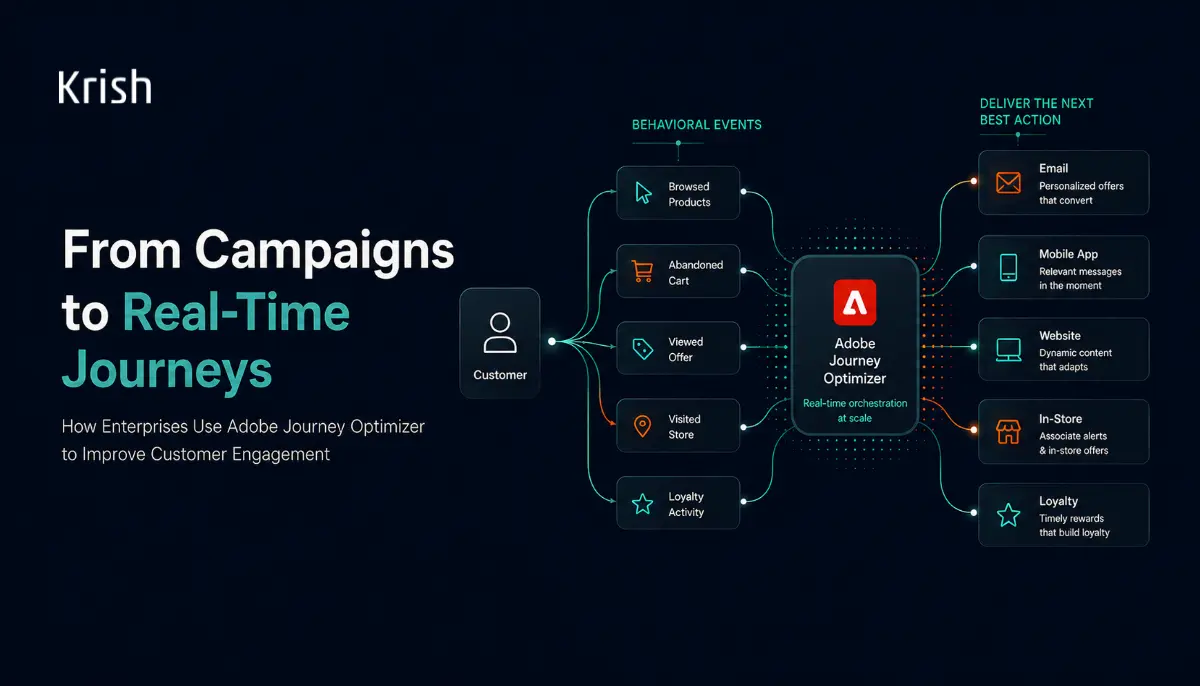
How Enterprises Use Adobe Journey Optimizer to Improve Customer Engagement
20 April, 2026 Brands are sitting on petabytes of customer data, yet 76% of consumers still experience deep frustration when interactions feel entirely generic, as revealed by McKinsey. Marketing teams know the gaps exist. They see the abandoned carts, the unread emails, and the fragmented experiences across channels. The problem is rarely a lack of intent. It is a lack of architectural capability.
Subscribe with Us!
Never miss any post, stay tuned!
Trusted by leading brands


